
Student Guide
How to Apply for a CBNU Email Account
- 2026-08-29 14:43
How to Apply for a CBNU Email Account
You may need an email address ending in @cbnu.ac.kr to use services such as Microsoft Office 365.
- Log in to 개신누리. https://eis.cbnu.ac.kr/
- Find Quick Links in the upper-right corner.
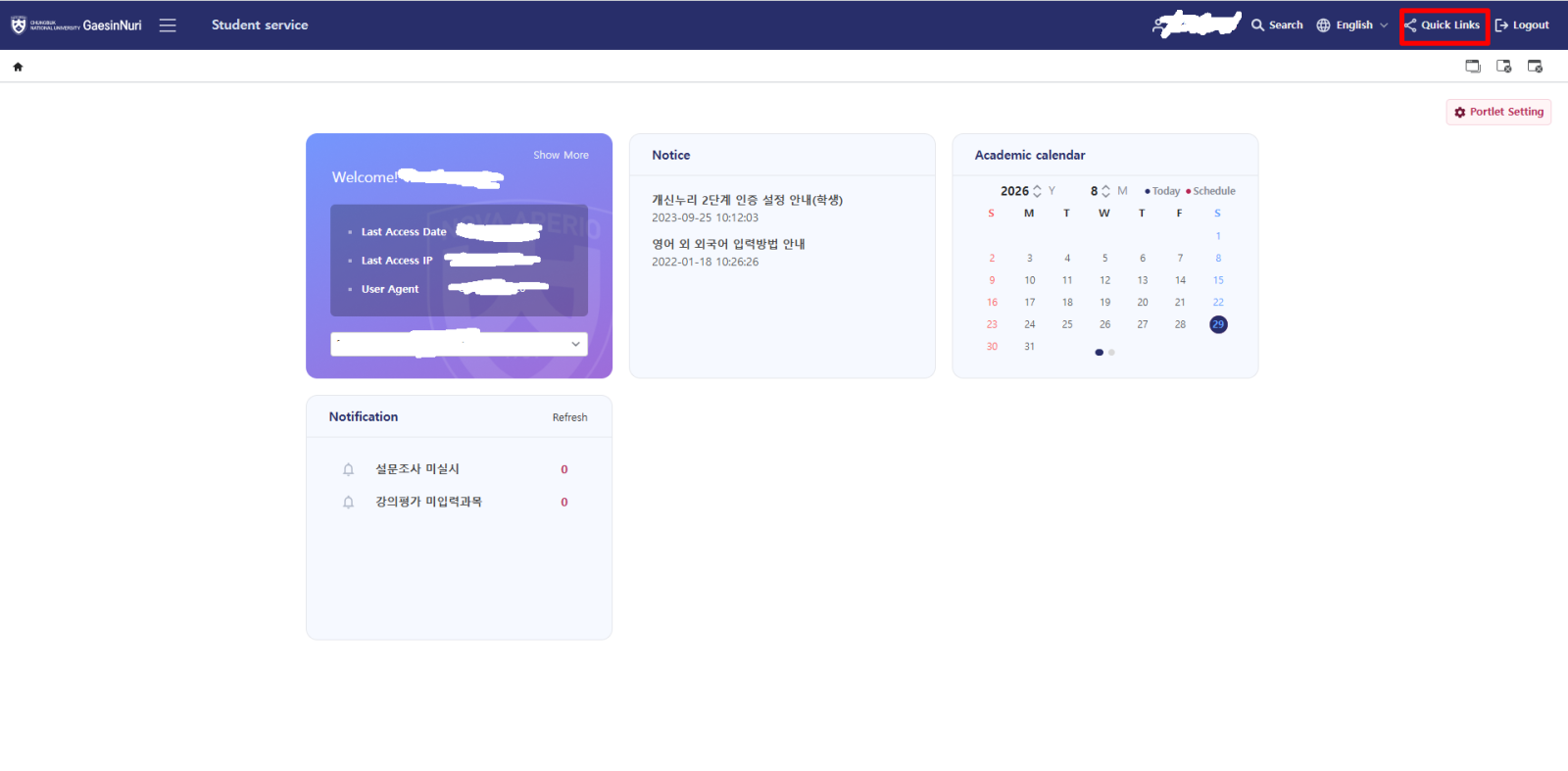
3. Click Quick Links.
4. Find and click 이메일 (Email).
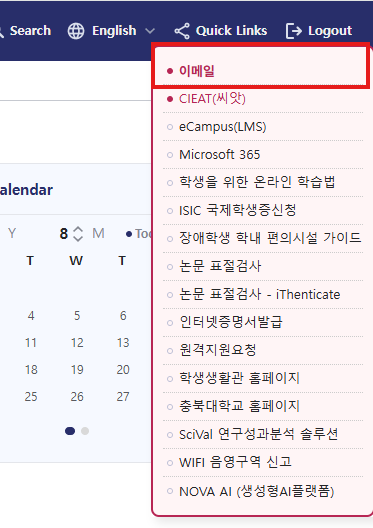
5. If you have not applied for a school email account before, an application message will appear.
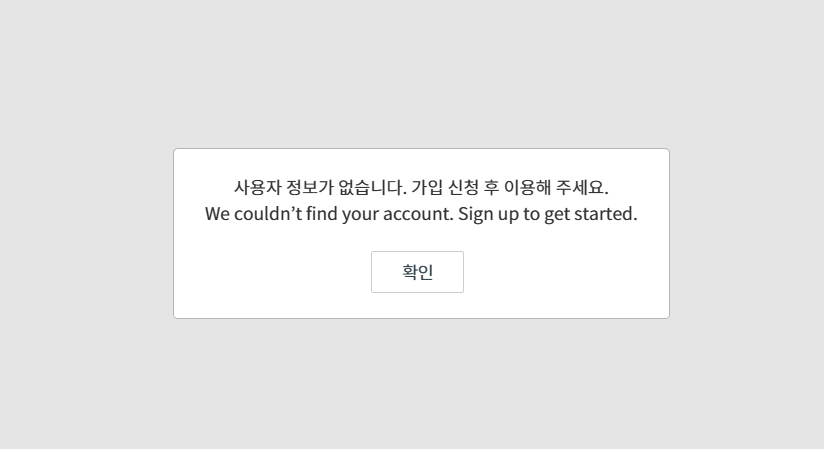
6. Click Confirm(확인) to submit your application.
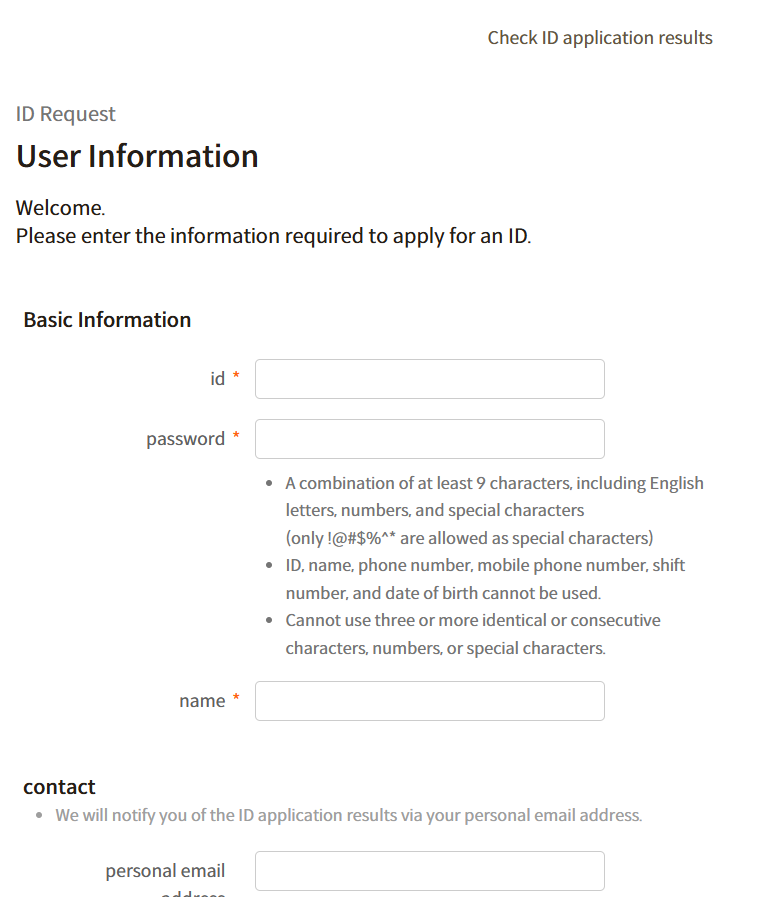
7. Wait for the university to process your application.


