
How to Use the University’s NOVA AI (Generative AI Platform)for Free > 가이드(영문)

Student Guide

How to Use the University’s NOVA AI (Generative AI Platform)for Free
  • 2026-08-29 15:02

How to Use the University’s NOVA AI for Free


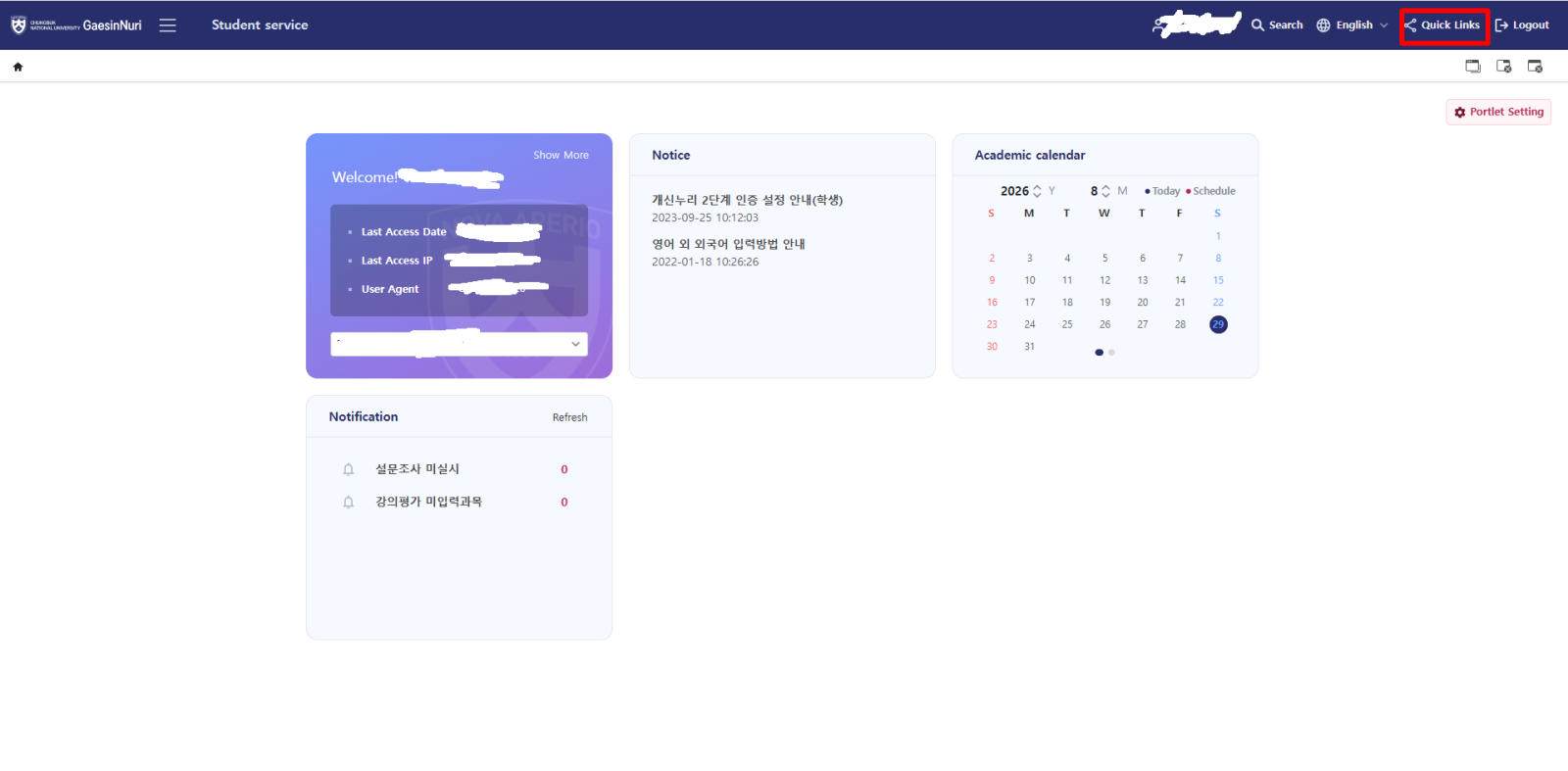
  1. Log in to Gaesin Nuri (개신누리): https://eis.cbnu.ac.kr/
  2. Click Quick Links in the upper-right corner of the page.
a7508534e19787f7da135e98737eb5d4.png

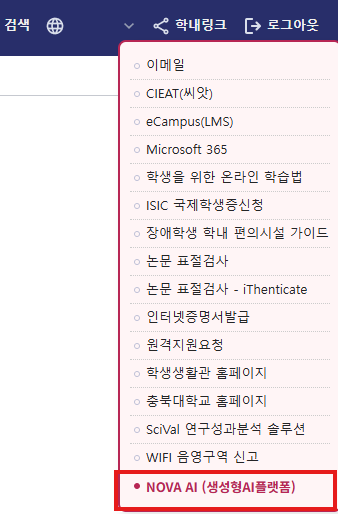
    3. Select NOVA AI (Generative AI Platform).
57582586d505ed6764cad61e40f271f4.png

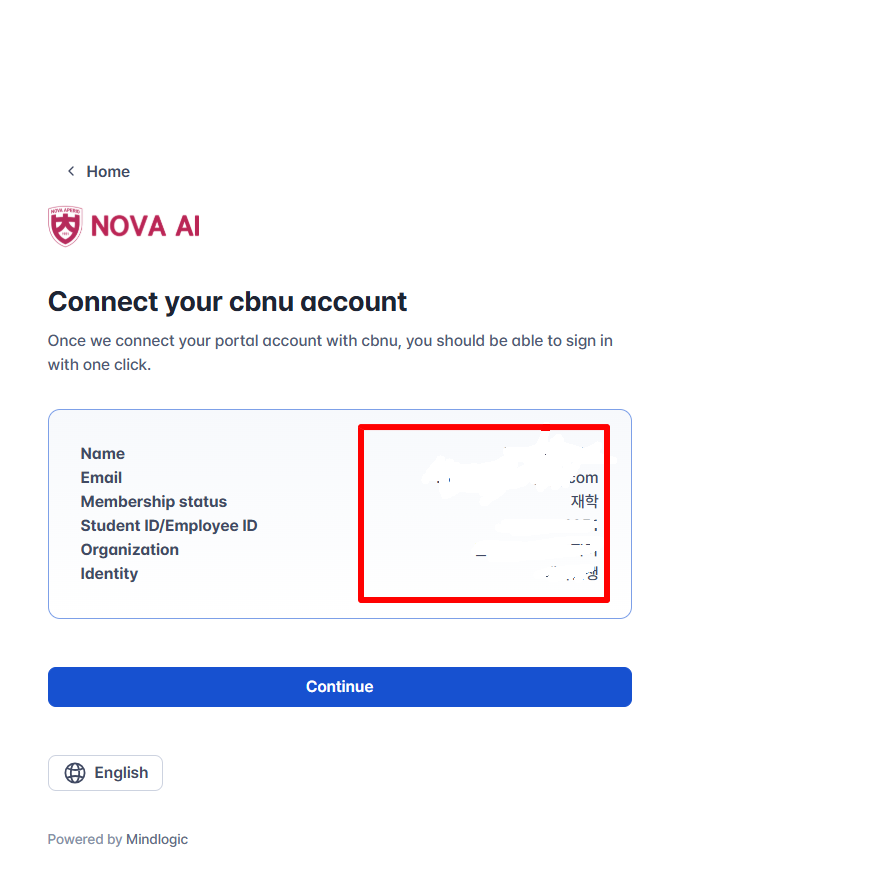
    4. Check your personal information displayed on the screen.
c5c5fb555e5a0379fe7f40e18bfc86d2.png

     5. Click Continue.

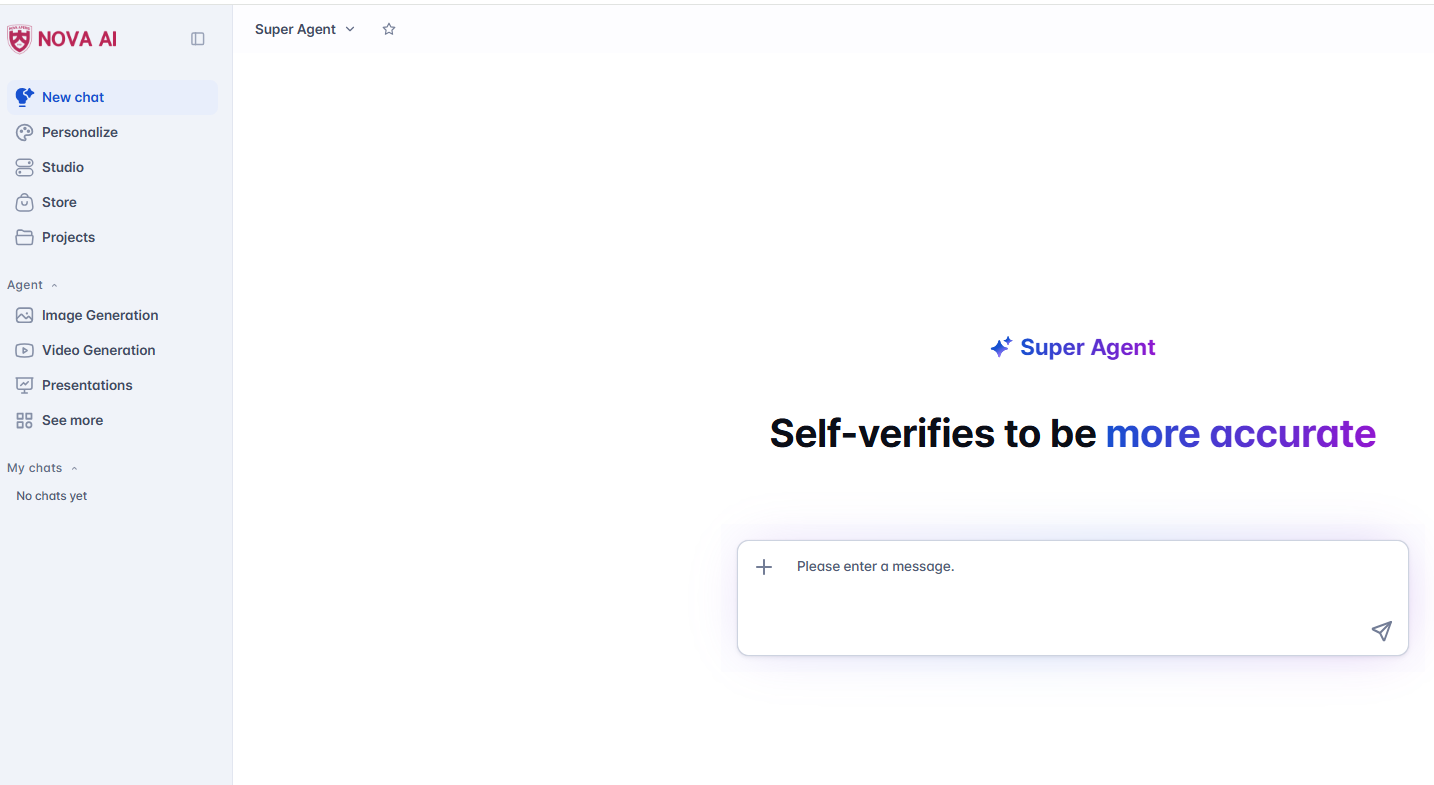
     6. Once the NOVA AI page opens, you are successfully connected and can start using it.
437ab56d08a8a6192e1927b3fc44decd.png


No Subject Writer Date Hits
12 How to Apply for a Scholarship Hot cvsadmin 2026-09-01 135
11 Essential Help Lines for International Students Hot ConvergenceSoftware 2026-08-29 145
10 How to Use the University’s NOVA AI (Generative AI Platform)for Free ConvergenceSoftware 2026-08-29 81
9 How to Apply for a CBNU Email Account ConvergenceSoftware 2026-08-29 83
8 Dormitory Confirmation Certificate Hot ConvergenceSoftware 2026-08-12 114
7 How to Obtain a Certificate of Enrollment Hot ConvergenceSoftware 2026-08-12 120
6 How to get a Tuberculosis (TB) test certificate Hot ConvergenceSoftware 2026-08-12 106
5 Notice on Obligations of Foreign Residents ConvergenceSoftware 2026-08-11 93
4 Part-time Job Permit Guide for International Students Hot ConvergenceSoftware 2026-08-11 100
3 How to Obtain a Mobile Student ID ConvergenceSoftware 2026-08-11 99
2 Guidelines for Alien Registration Hot ConvergenceSoftware 2026-08-11 133
1 Required Documents for D-2 Visa Extension (Enrolled International Students) Hot ConvergenceSoftware 2026-08-11 121
